Interactive Fiction on Your Phone Fits One Hand
Interactive fiction on your phone depends on line length, type size and how the app survives interruption. What a reading screen has to get right.
Interactive fiction on your phone is not a shrunken version of something that belongs on a desktop. The form is a column of prose and one place to answer, and a phone is a device built to hold a column of prose at reading distance. What decides whether it works is the page itself: how long the lines run, how much air sits between them, and what the app does when somebody calls you.
A phone is held at reading distance, which is where a single column of prose has always been easiest to read. The W3C’s visual presentation criterion caps a readable line at 80 characters and asks for line spacing of at least one and a half inside a paragraph. A narrow screen removes the option of a wide measure, so type size, spacing and margins carry the whole layout. Reading systems treat type as a reader’s setting: Readium CSS exposes font size from 75% to 250% and line height from 1 to 2. Phone reading is interrupted reading, so returning to the exact line matters as much as the prose does.
Why interactive fiction on your phone suits the form
Because the form never needed much. A scene of prose, a way to answer, and somewhere to keep what has happened so far: that is the whole apparatus, and none of it wants a large screen. The desktop was where the form was born, not what it was for. A phone gives it the one thing a desktop cannot, which is the posture of reading — held, close, at an angle you choose.
The old work travels with it. Parchment, the interactive fiction player for the web, runs Z-code, Glulx, TADS, Hugo and Adrift 4 in a browser tab, and is published as a single file you can download and use offline. A story compiled for the Z-machine decades ago opens on a handset bought last year, with no port and no emulator to install. That continuity is unusual in software, and it is the reason the back catalogue is still readable at all.
What is newer is prose written as you read it rather than retrieved from a file. That changes the demands on the page, because the text arriving is never the same length twice and the layout has to hold a two-line answer and a nine-paragraph scene equally well.
How long should a line of prose be on a phone screen?
Shorter than a laptop line, and that is an advantage rather than a concession. The W3C’s Understanding Visual Presentation document sets the upper bound plainly: lines should not exceed 80 characters or glyphs, 40 for CJK. It also asks for line spacing of at least space-and-a-half within paragraphs, and paragraph spacing one and a half times larger than the line spacing.
A phone at a comfortable type size lands under that ceiling without anyone trying. The risk on a small screen runs the other way: type shrunk until a line carries too many words, or margins pushed to the edge so the text has nothing to sit inside. Both are attempts to fit more on the screen, and both cost more than they save.
| Setting | What a phone forces | What you notice when it is wrong |
|---|---|---|
| Measure | A narrow column, near the low end of book practice | Your eye loses the line it was on and rereads it |
| Type size | Large relative to the screen, small in absolute terms | You hold the phone closer, then put it down sooner |
| Line spacing | Generous, because the column is short | Paragraphs read as a block of grey |
| Paragraph breaks | Frequent, since a screen holds few of them | Scenes feel longer than they are |
| Margins | Real ones, or the text touches the bezel | Thumbs cover the first and last word of every line |
The keyboard is part of the page
Half the screen disappears when the keyboard opens, which is the one problem the desktop version of this form never had. An app that puts the answer field directly under the prose keeps the last sentence visible while you type; an app that anchors it elsewhere makes you write blind. Suggested openings help here too, because tapping one is a sentence you did not have to thumb-type at a bus stop.
Who decides the type, you or the app?
The reader should, at least partly. Reading systems built for books treat typography as a preference rather than a fixed design: Readium CSS exposes font size across a recommended range of 75% to 250% and line height from 1 to 2, along with a line length variable, and leaves the increments to implementers. That is the standard a text app is measured against, fairly or not, because readers arrive from book apps that already work this way.
Fiction apps often skip it, on the grounds that the layout is designed and should stay designed. The compromise most readers actually want is narrower: a type size they can raise, a light and a dark page, and a measure that does not stretch when the phone turns. Everything past that is a preferences screen nobody opens. If you are comparing apps before installing, the things worth checking on an Android story app start with the first reading screen rather than the feature list.
What a reading screen has to leave out
Almost everything. A page that is trying to be read cannot also be a dashboard, and on a phone there is no margin in which to hide the difference. Each control added takes vertical space from prose, and vertical space is the only currency the screen has.
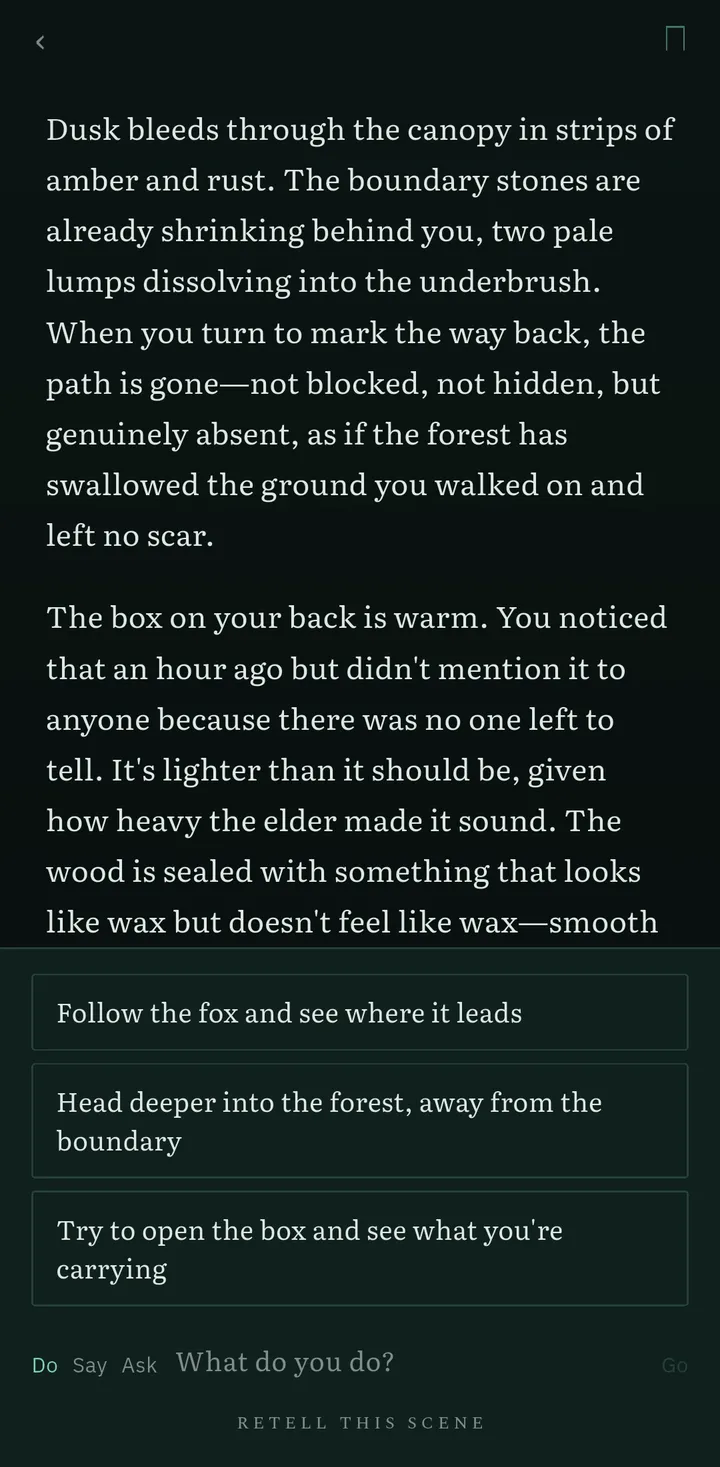
Fabledrift, an interactive fiction app for Android, keeps the page to the scene, the suggested openings and one line to answer in. There are no chat bubbles, no stats, no dice, no inventory grid and no quest log; the cost of a story is shown once before it starts and never appears on the page again. The reasoning behind that is the same reasoning a book cover uses, and it is set out at more length in the case for a text adventure without stats.
How should the app handle being interrupted?
By assuming it will be. Interactive fiction on your phone is read in the gaps — a queue, a platform, the ten minutes before sleep — and the interruption is not an edge case but the normal condition. What that asks of the app is unglamorous:
- Return to the same scene at the same scroll position, with nothing expired and nothing regenerated.
- Keep a record you can consult instead of rereading: Fabledrift’s story journal shows what the narrator currently remembers.
- Let you ask the narrator a question without advancing the story, for when you come back unsure who someone was.
- Make going backwards free. Stepping back to your own earlier scene costs nothing, always, which is what lets you reopen a story you left four days ago.
A scene is also a better unit than a chapter for this. It finishes. You can put the phone away at the end of one without holding a half-sentence in your head until tomorrow, which is the argument for reading interactive fiction slowly rather than in long sittings.
Five minutes with the screen in your hand
Whether interactive fiction on your phone works for you is settled by the page rather than the premise, and five minutes is enough to test it. Open a candidate app and read one scene without judging the prose. Count the words in a line; eight or nine is about right, fifteen means the type is too small. Look for a blank line between paragraphs and space at both edges.
Then open the keyboard and see whether the last sentence of the scene is still visible. Lock the phone, wait a minute, and come back. If the app returns you to the same line, the reading part is solved, and everything after that is a question about the story.
Frequently asked questions
Is a phone a bad place to read interactive fiction?
No. A phone is held at reading distance and shows one column of prose, which is the shape the form has always taken. The problems people blame on the phone are usually layout problems: lines set too wide, type set too small, and a screen crowded with controls.
How many characters should a line of prose be on a phone?
Fewer than on a laptop. The W3C's visual presentation criterion treats 80 characters as the upper bound for a readable line, and a phone held in one hand at a comfortable type size lands well below that on its own.
Can I read classic text adventures on my phone?
Yes. Parchment, the web player for interactive fiction, runs Z-code, Glulx, TADS, Hugo and Adrift 4 in a browser tab, and it is also published as a single file you can keep for offline reading.
What happens to an AI story when a call interrupts me?
That depends on the app. A reading app should return you to the same scene, in the same place, with nothing expired. In Fabledrift the scene waits, the journal records what the narrator knows, and stepping back to an earlier scene is always free.
Does reading on a phone mean shorter sessions?
Usually, and the form takes that well. One scene is a complete unit of reading in a way that a chapter is not, so a story can be read in ten minute pieces without losing the thread.